How the Atomic Fast Timer Shows Your Metabolic Phase
What Atomic Fast’s timer and phase labels actually show: elapsed time, fixed hour bands and a separate meal estimate, with clear limits on what they can tell you.
Last updated
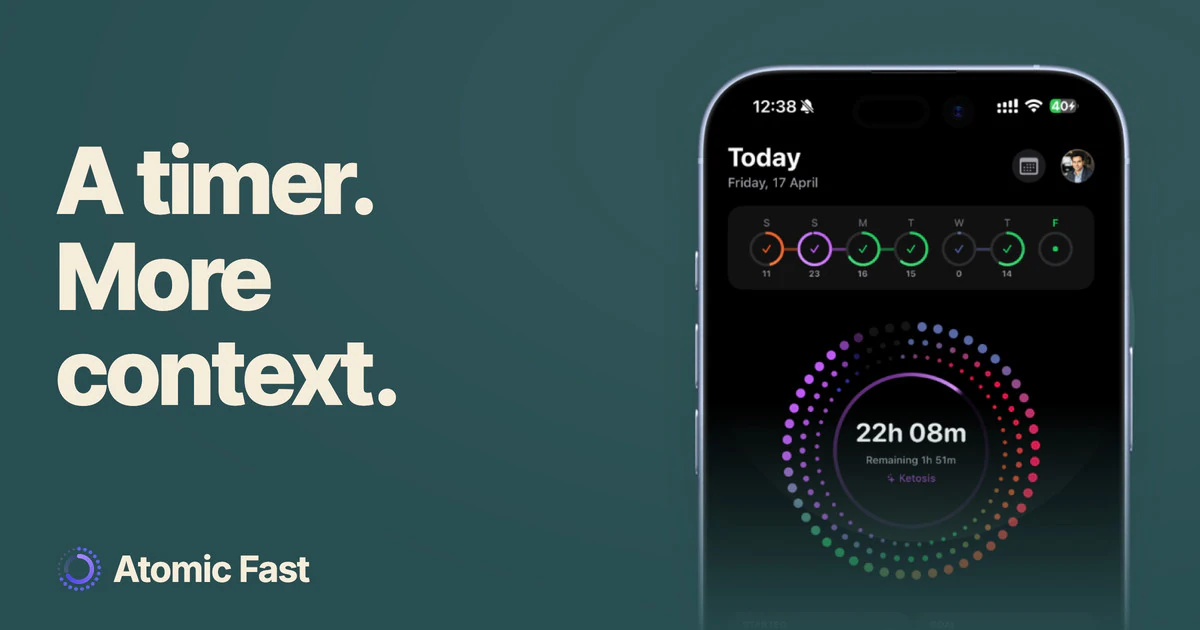
Atomic Fast pairs a fasting countdown with labels intended to explain commonly discussed metabolic processes. The labels follow a fixed time map; they cannot tell what is happening inside your body. So here’s exactly how the timer works, what the phase labels mean, and what they don’t.
The short version
Atomic Fast counts from the start time you choose. Its phase labels follow fixed elapsed-hour bands, shared by everyone. The labels provide background information; they do not confirm digestion, blood sugar, ketosis or autophagy. A logged meal adds a separate digestion-complete estimate that neither changes the phase bands nor starts the timer.
It starts when you start
On Today, the main Start Fast button starts immediately with the displayed goal. The adjacent sliders, labeled More fasting options, open the goal picker and then the start sheet.
That sheet offers Start Now, Since Last Meal when there is an eligible recent logged meal, and Schedule for Later up to 24 hours ahead. A scheduled session begins at the time you chose. A meal log by itself never starts a fast.
What the phase labels actually mean
The app uses these fixed bands: Digesting at 0–4 hours, Blood Sugar Normalizing at 4–8, Glycogen Depletion at 8–12, Fat Burning at 12–16, Deep Ketosis at 16–24, and Autophagy from 24 hours. Tapping a phase opens an explanation.
Those are interface thresholds. They are not clinically validated transition times for your body. Anton and colleagues’ physiology review describes a broad, variable shift toward fatty acids and ketones. It does not establish these six app bands.
We explain the overlapping physiology in the metabolic phases of a fast. For the two labels most often overinterpreted, see how long it takes to reach ketosis and what we know about autophagy timing.
It’s a map, not a blood test
The timer knows the recorded start and the current time. It does not know your glycogen stores, blood glucose or ketone concentration.
Meals, activity, health conditions and medication can affect the underlying physiology. Two people can see the same label while having different measurements. A label such as Blood Sugar Normalizing must never be read as confirmation that glucose is in a safe range.
Use the phase display as background to an accurate time record. It is not a reason to extend a fast, overlook symptoms or change treatment.
Where your meals come in
A logged meal can show an estimate such as Digestion complete by 8:30 PM. The calculation uses the meal’s time and recorded nutrition, including calories, protein, fat, alcohol and portion size.
This is separate from the phase display. It neither measures digestion nor establishes an ideal fasting start. Count your eating window from actual intake; you do not need to wait for an estimated digestion time before recording a fast. Inaccurate food or portion entries also make the estimate less useful.
Why not just use a stopwatch
A stopwatch can record elapsed time. Atomic Fast adds a chosen goal, a saved session record and the option to keep meal entries alongside it. The phase explanations are optional context.
You do not need to aim for every label or complete the goal before ending. The useful record is the fast you actually completed, including an early finish when that is the right choice.
Frequently asked questions
Does the app measure my ketones or blood sugar? No. The display follows elapsed time. A timer cannot substitute for an appropriate measurement or clinical interpretation.
When does the timer start counting? The main Start Fast button starts immediately. The options flow also allows an eligible last-meal start or a scheduled start up to 24 hours later.
Is the phase personalized to what I ate? No. Meal logging adds a separate digestion estimate but does not shift the fixed phase boundaries.
Does the Autophagy label confirm cellular recycling? No. It appears after 24 elapsed hours because that is the app’s display threshold, not because the app detected autophagy.
Do I need the food log to use the timer? No. The free timer can be used on its own and works offline. Food search, barcode lookups and AI scans need a connection.
Sources
Sources checked: October 11, 2026.
- Anton SD et al. (2018), Flipping the Metabolic Switch: Understanding and Applying the Health Benefits of Fasting. Obesity (Silver Spring, Md.) — Background on changing fuel use; it does not validate the timer’s six fixed phase bands.
Product verification: Start controls, scheduling, phase thresholds and the meal estimate were checked in both platform implementations. No mobile runtime test was performed.
Track the time you actually fast with Atomic Fast on the App Store or Google Play.
This article is for general information and isn’t medical advice. If you’re pregnant, have a history of disordered eating, or take medication for a condition like diabetes or blood pressure, talk to your doctor before changing how you eat or fast.
Try Atomic Fast free
Track your fasts, log your meals, and see how they affect each other, on iPhone and Android.


 Scan to download