When to Start Your Next Fast After a Meal
Does your fast start at the last bite or once digestion is done? How Atomic Fast's digestion estimate and its three start options keep the next fast in your hands.
Last updated
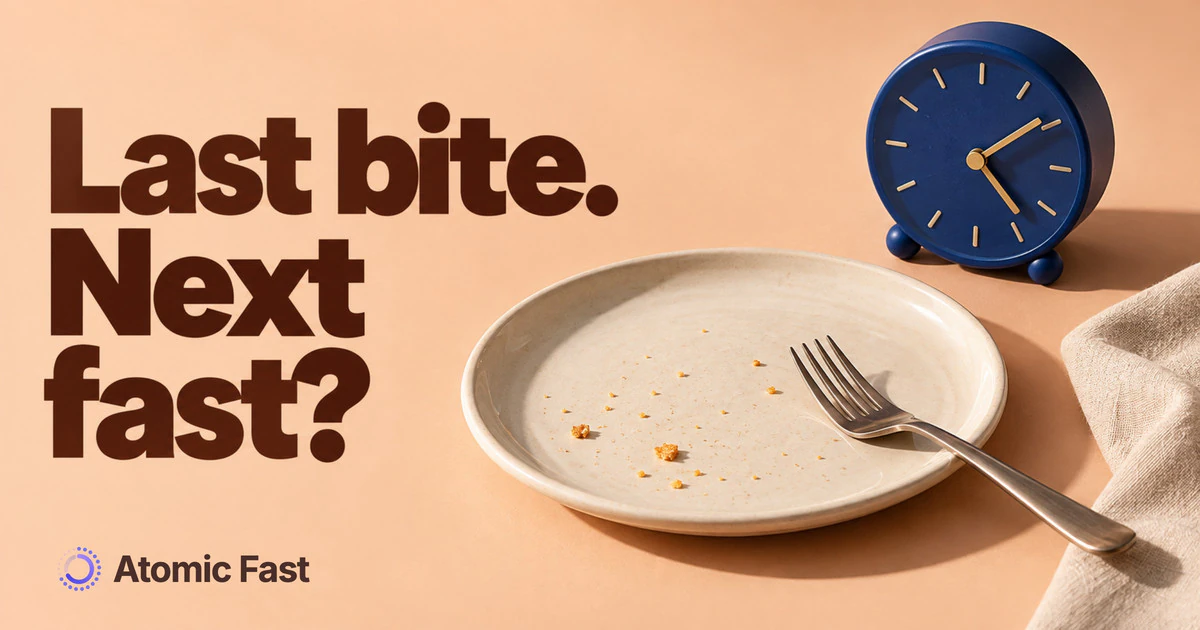
You just finished dinner. The plates are in the sink, and in the back of your head a small question is forming: when does the next fast actually start?
It’s a tiny decision you make every day. It’s also exactly the kind of thing an app should make easier without taking it out of your hands.
The short version
For most schedules, your fast starts at your last bite, and that’s how the timer should be set. After you log a meal, Atomic Fast also estimates when digestion will be complete, from when you ate and what was in the meal, as optional context about the recorded meal. Logging a meal or showing the estimate does not start a timer. You start the fast yourself, now, backdated to your last logged meal, or scheduled for later. The estimate comes from the clock and the meal you logged, not from anything measured in your body, so treat it as a sensible reference, not a reading.
The small decision that trips people up
Most fasting advice stops at the big choices: which schedule to run, and how to fit your eating hours around your day. Both deserve thought, and matching the window to your real life matters more than the number on it.
What nobody talks about is the small decision right after you eat. You’d think it’s obvious: you start when you stop eating. But the last bite isn’t always a clean line. Maybe you picked at a couple of fries twenty minutes after you’d “finished.” Maybe dinner ran late and you’re not sure whether starting now wrecks tomorrow morning. Maybe you just don’t want to do arithmetic against your target window at 8 p.m.
That friction adds up. People either start the clock the second they push the plate away and then feel like they cheated when they nibble again, or they forget to start it and lose track of the window entirely. Neither is a disaster. Repeated nightly, both wear down a habit you’re trying to build.
Last bite or end of digestion?
For an ordinary eating-window record, count from your last food or caloric drink. Digestion continues afterward; a research schedule does not usually require waiting for it to finish. NIDDK’s explanation of fasting distinguishes time without eating from different fasting rules. Follow specific instructions for medical procedures or religious observance.
Digestion is a separate question. Your body keeps working through a meal for hours after you finish it, and a big, fatty dinner takes longer than a light one. That’s what the app’s estimate is for. When you log a meal, the result screen shows a line like “Digestion complete by 10:30 PM,” and the meal keeps a “Digestion Complete” chip. The time is worked out from when you ate and what the meal held: calories, protein, fat, alcohol and portion size.
It is an estimate, not a measurement of stomach emptying or a prediction of sleep quality. It does not change when your fast began and never moves the timer.
How you actually start the fast
On Today, the main Start Fast button starts immediately with the displayed goal. To choose a goal or a different start time, tap the adjacent sliders, labeled More fasting options. After choosing a goal, the start sheet has these choices:
- Start Now begins the fast at this moment.
- Since Last Meal backdates the start to the last meal you logged, so the twenty minutes you spent clearing the table still count.
- Schedule for Later sets a start up to 24 hours ahead. The fast then begins on its own at that time, which helps if you want it to kick in at, say, 9 p.m. while you’re busy.
Since Last Meal needs an eligible logged meal within the preceding 12 hours. Future meals or a meal before the prior fast ended cannot supply that anchor. A conflict can show an explanation instead. If you have not logged an eligible meal, use the other options.
Why the choice stays with you
An app could take the decision off your hands entirely and start a fast the moment you log a meal. On paper that’s less work. In practice it hands your clock to software that can’t see your evening.
Say you log dinner, then two hours later you have a square of chocolate and tea with milk. An app that auto-started your fast at dinner now says you’re three hours into a fast you actually broke. The number is wrong, and once a clock lies to you a few times, you stop trusting it.
Keeping the start in your hands avoids that. You know whether the kitchen is really closed. When it is, you start the fast, and if you logged the chocolate too, Since Last Meal anchors to that instead. The timer then counts hours from the start you chose. The phases it shows come from elapsed time alone, and nothing you log shifts them.
What it doesn’t do
If this post is going to argue against auto-starting, you should know where our own feature stops.
The digestion estimate is a calculation from the clock and the meal you logged. Nothing in the app measures your blood sugar, ketones or hunger to produce it. Inaccurate portions or food entries can change the estimate; there is no fixed error margin.
It doesn’t start anything either. Every fast begins with your tap, either right away or at the time you scheduled.
A couple of practical limits. Logging by photo, nutrition label or typed description uses AI, and those AI scans are capped at seven a week on the free plan; barcode scanning, database search and manual food entry are unlimited. Your fasting and health data stay on your phone. When you use an AI scan, the photo or typed description goes through our server to Google’s Gemini API to be read, and we don’t store it.
Frequently asked questions
Does my fast start at the last bite or after digestion? At the last food or caloric drink for an ordinary eating-window record. Digestion carries on for a few hours afterward, which is why the app shows a separate estimate of when it will be complete.
Does the app start my fast automatically after I eat? No. Logging a meal never starts a fast. You start it yourself with Start Now or Since Last Meal, or by scheduling it, in which case it begins at the time you picked.
What is the “Digestion complete” time based on? When you ate and what the meal contained: calories, protein, fat, alcohol and portion size. It’s an estimate from the meal you logged, not a measurement from your body.
What if I eat again after I’ve logged dinner? Log the later food and start your fast when you’re truly done. Since Last Meal can use the most recent eligible meal; check the proposed start time.
Do I have to log a meal to start a fast? No. You can start or schedule a fast anytime. Logging meals adds the digestion estimate and the Since Last Meal option, but neither is required.
Is any of this a paid feature? The timer, the start options and the digestion estimate are free. Logging a meal by photo, label or typed description uses AI scans, capped at seven a week on the free plan; barcode, search and manual food entry are unlimited. Pair the timer with a food log you’ll actually keep up with and you have both halves of the day in one place.
Sources
Sources checked: October 11, 2026.
- NIDDK — Fasting Safely with Diabetes (2020) — Defines fasting and explains why medication-related fasting decisions need individual guidance.
Product verification: Reviewed the immediate-start button, options sheet, eligible last-meal rules, 24-hour scheduling limit and separate digestion estimate in app code. AI logging allowances and processing are distinct from the free timer.
Atomic Fast is free on the App Store and Google Play. Log dinner, check the digestion estimate, and start the next fast when you decide the kitchen is closed.
This article is for general education and isn’t medical advice. If you’re pregnant, managing a health condition, taking medication (especially for diabetes or blood pressure), have a history of disordered eating, or are considering fasts longer than 24 hours, talk to a healthcare professional first.
Try Atomic Fast free
Track your fasts, log your meals, and see how they affect each other, on iPhone and Android.


 Scan to download